
Factory floor data wherever you need it
Real-time data processing for all industries
On-premises, on the edge and in the cloud: Whether you plan to drive business decisions or control factory processes, here you'll find the right software to get your data to the right place.
Need assistance to get you started? Contact us.
Dataristix®
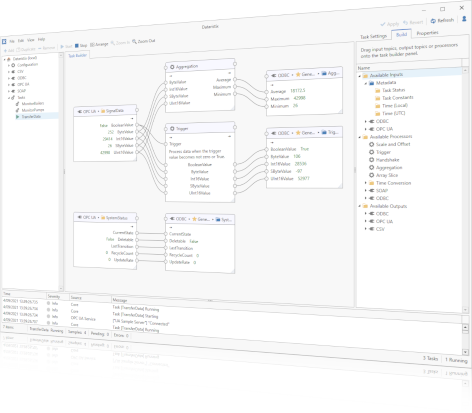
Factory data router and processor
Connect disparate data sources and data sinks using a comprehensive, modular and extensible data processing solution based on standard protocols. Transfer data from OPC UA Servers to databases and vice versa (for example, to and from SQL Server®, Oracle®, MySQL®, PostgreSQL®, Microsoft® Access®, and other databases), to and from MQTT brokers, to REST services, Power BI®, Microsoft® Excel®, CSV/text files, and more, complete with a graphical task builder to define required information flows with no-code or low-code.
Learn more about Dataristix.
OPC Office Link Classic
Versatile OPC DA data processing
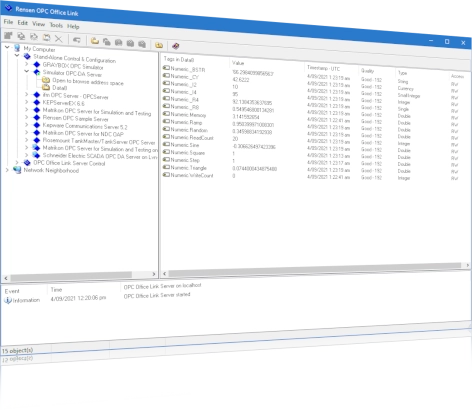
OPC Office Link Classic is based on the OPC DA Classic interface, the predecessor of OPC UA. The classic interface is still widely used today. Consider OPC Office Link Classic if a move to OPC UA is not yet possible or for hybrid environments that also require an OPC DA Classic client.
OPC Office Link is an all-in-one, on-premises, OPC DA Classic data processing solution for OPC to ODBC database transfers (to SQL server, Oracle, MySQL, Microsoft Access databases, and more), ODBC to OPC , OPC to Microsoft Excel, OPC to text log files, recipe and batch processing and more; used in installations across all industries world-wide.
Learn more about OPC Office Link.
Profile Historian
Quality control for film thickness gauging
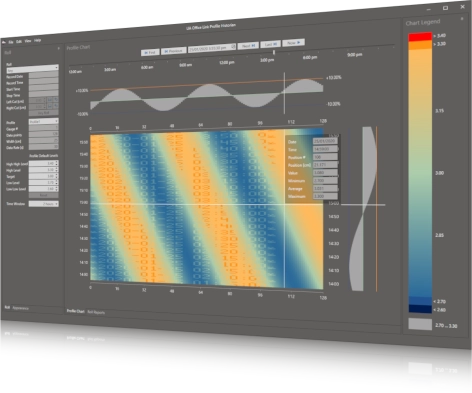
Profile Historian displays heatmaps of profiles (numeric array values) as sampled by Dataristix or OPC Office Link for inspection, record keeping and quality control.
Profile Historian is optimized to handle large amounts of profile data and displays profiles in heatmap charts interactively, that means, you can scroll through data and inspect profiles over the storage period, be it weeks, months or years.
Learn more about Profile Historian.

Dataristix is a registered trademark of Rensen Information Services Limited. Microsoft, Microsoft Access, Excel, Power BI, and SQL Server are registered trademarks of Microsoft Corporation. Oracle and MySQL are a registered trademark of Oracle. PostgreSQL is a registered trademark of the PostgreSQL Community Association of Canada. SAP, SAP HANA are registered trademarks of SAP. IBM, IBM DB2 are registered trademarks of IBM. InfluxDB is a trademark of InfluxData. All other product names, trademarks and registered trademarks are the property of their respective owners.